Everything You Can Actually Host on Flowdrive
Explore the file types Flowdrive supports and learn how to host videos, images, documents, audio, code, and more on your own domain.
July 22, 2026

A modern file upload solution that helps web apps upload, manage, and scale files without backend complexity.
January 17, 2026 · Product Guides
File uploads are straightforward, until you try to scale them. At first, it's just a button. Then it comes to file kinds.
Then storage.
Then permissions.
Then people start wondering where their data went, why uploads failed, and why things are suddenly slow. Most teams do not plan for this. They glue things together as issues arise.
Flowdrive exists to change this.
It is more than just a tool to upload files. It's a simpler, clearer method to manage file processes within current web products that avoids drowning in backend complexity.
File uploads appear simple (until they aren't).
File uploads appear to be a solved problem.
You provide an input.
You connect the storage.
You move on.
However, as products grow, file uploads discreetly become one of the messiest elements of your system.
What began as "just a feature" has evolved into something fragile and costly to maintain.
The main issue is not uploading files.
The entire process revolves around the upload.
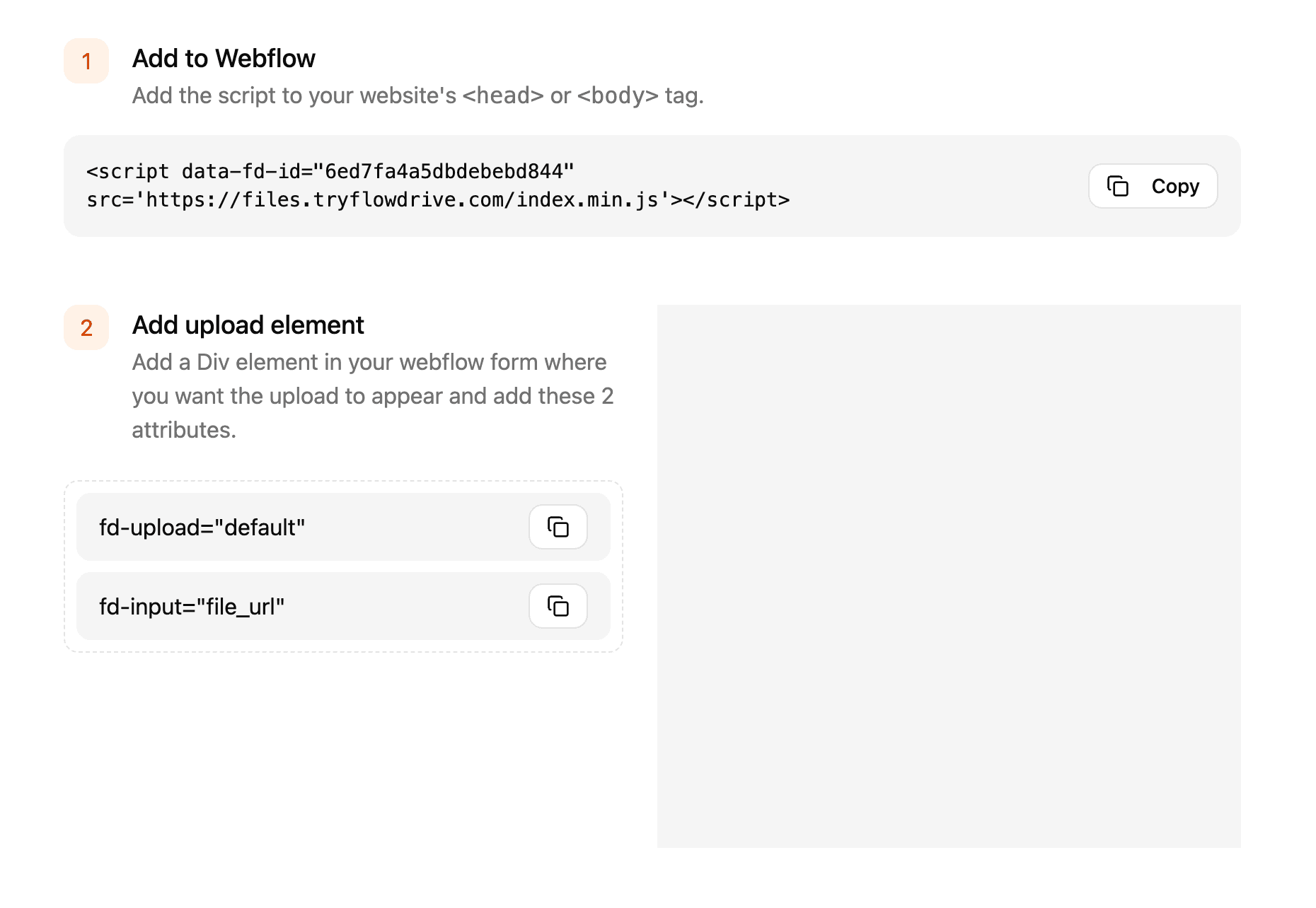
Flowdrive is an upload and file management layer designed for modern online applications.
It enables you to convert existing UI elements, such as a div, into completely functional upload interfaces.
Behind the scenes, Flowdrive does the heavy lifting: uploads, hosting, and file management all in one flow.
Instead of creating and maintaining custom backend logic for file management, Flowdrive provides a structured, adaptable solution that you can integrate into your product.
Flowdrive simplifies file handling, allowing you to focus on developing your product rather than the backend.
If Flowdrive were simply for file uploads, it would not exist.
The true value is everything that comes after the upload.
Uploads are treated by Flowdrive as part of a bigger workflow, rather than as a one-time event.
That’s what makes it an infrastructure, not just a widget.
Flowdrive is designed for people who want to move fast without cutting corners.
Frontend developers
who don’t want file handling logic creeping into every part of their app.
No-code and low-code builders
who need powerful upload functionality without custom backend work.
Product teams and founders
who want reliable file workflows that won’t break as users and features grow.
Flowdrive works quietly behind the scenes in many common scenarios:
SaaS products that accept user-generated content
Forms that require document uploads
Dashboards that manage files at scale
Internal tools with structured file access
Marketplaces where uploads are core to the experience
It doesn’t replace your product.
It strengthens it.

Using Flowdrive provides:
Faster shipping characteristics.
Spending less time maintaining the upload logic
Reducing edge cases and bugs.
Providing a cleaner user experience
Rather than recreating file handling for each project, you begin with a strong foundation.
This blog is merely the beginning point.
Next, we will break down: How to add an upload field to any Webflow form in minutes.
Real use examples across many products.
Common mistakes teams make when uploading files and how to avoid them
If file uploads matter to your product, Flowdrive is designed to make that process easier.
Try FlowdriveSee how Flowdrive works in practice.
Add an upload field to any Webflow form and manage files with ease.
Unlimited file hosting for Webflow projects.
Explore the file types Flowdrive supports and learn how to host videos, images, documents, audio, code, and more on your own domain.
Learn what each Flowdrive hosting plan offers and choose the right tier based on your storage, file size, bandwidth, and project needs.
Fully no-code. URLs updated automatically. Takes minutes, not days.