Flowdrive
← All Posts September 11, 2025

How Flowdrive helps Webflow users do more than file hosting

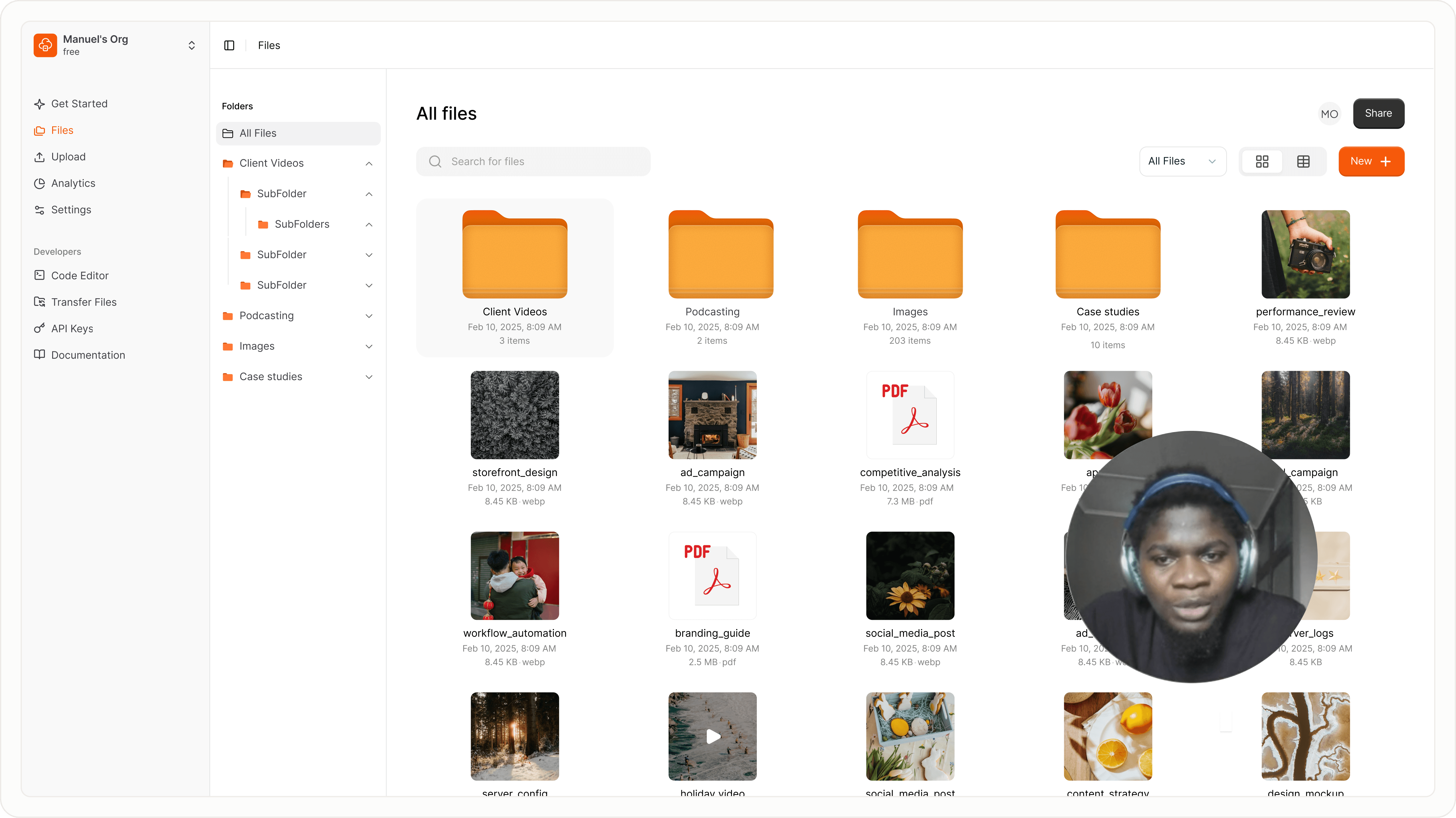
Flowdrive is more than file hosting, secure delivery, adaptive video streaming, and streamlined workflows that reshape how you work and elevate your brand.

'Technology is the art of arranging the world so we do not notice it.” — Don Norman

There is this funny thing about tools we use every day: the best ones do not just “get the job done,” they quietly restructure how we work and make us feel more capable, and more… in control. The quote above has aged well because it is still true, especially when you bring Flowdrive into the mix.

Yes, Flowdrive was built to solve the specific pain of hosting files on Webflow. But its real value comes in the way it reshapes how you work, and how your business is perceived.

Here’s a closer look at five powerful Flowdrive features that go far beyond file hosting.

  1. You can deliver courses and paid content securely - If you sell digital products, courses, or client deliverables, your files are your business. With Flowdrive, you can lock access so that only paying customers or authorized members get through. It integrates seamlessly with Memberstack, Outseta, or even simple password protection. This means your premium content stays secure, your audience feels valued, and your business remains sustainable.
  2. One-click file replacement - If you have ever uploaded the wrong PDF or needed to update a proposal at the last minute, you know the dread of broken links. Normally, you would have to delete, re-upload, and scramble to share a new URL. With Flowdrive, you can replace a file with one click and every link across your Webflow site stays intact. This way, your clients will not stumble onto “404” errors, and your audience never feels the friction of chasing updated links.
  3. Smooth video playback with adaptive streaming - Slow video playback kills engagement. FlowDrive solves this by automatically converting MP4s into adaptive streaming, which adjusts video quality based on the viewer’s internet speed. Your videos load faster, play smoothly, and keep your audience’s attention longer. In today’s world, where attention is currency, Flowdrive makes your brand look polished without extra effort.
  4. In-browser file editing (CSV + Code Files) - Tiny workflow interruptions add up. Like downloading a CSV just to fix a typo or editing code in one app only to re-upload it elsewhere. Flowdrive eliminates this friction with in-browser editing for CSV and code files directly inside Webflow. The result? Less time wasted on small tasks, more time spent growing your business.
  5. Custom domains for file delivery - Trust is built in the details. A file link from a random third-party service can look unprofessional and sometimes even suspicious. With Flowdrive, you can deliver files under your **own custom domain** (e.g., `files.yourbusiness.com`). Every download feels branded, and professional, which in turn reinforced credibility with your audience.

Conclusion

FlowDrive is proof that the tools we choose matter just as much as the work we create with them. It takes away the little frictions that often hold businesses back from presenting their best selves online.

Instead of just being a hosting platform, FlowDrive becomes an invisible but powerful layer in how you run your business, share your knowledge, and shape the way others experience your brand.

Tags & Share

Share this article
Best Practices File hosting
Share on social media
Built for webflow

Built for Webflow. Trusted by agencies.

Flowdrive works seamlessly with Webflow, and also powers static sites, headless CMS, and Jamstack projects. Flexibility built for growing agencies.

9k installs
Built for Webflow

Take Control of your File Hosting on Webflow

Unlimited video & file hosting, blazing-fast delivery, fully branded for your clients.

Flowdrive

Making file hosting easier, one file at a time

© 2025 Flowdrive